

The integrations catalog
Every available integration lives in a single catalog under Settings → Integrations. Browse by category, search by name, or jump straight to anything your organization has already connected.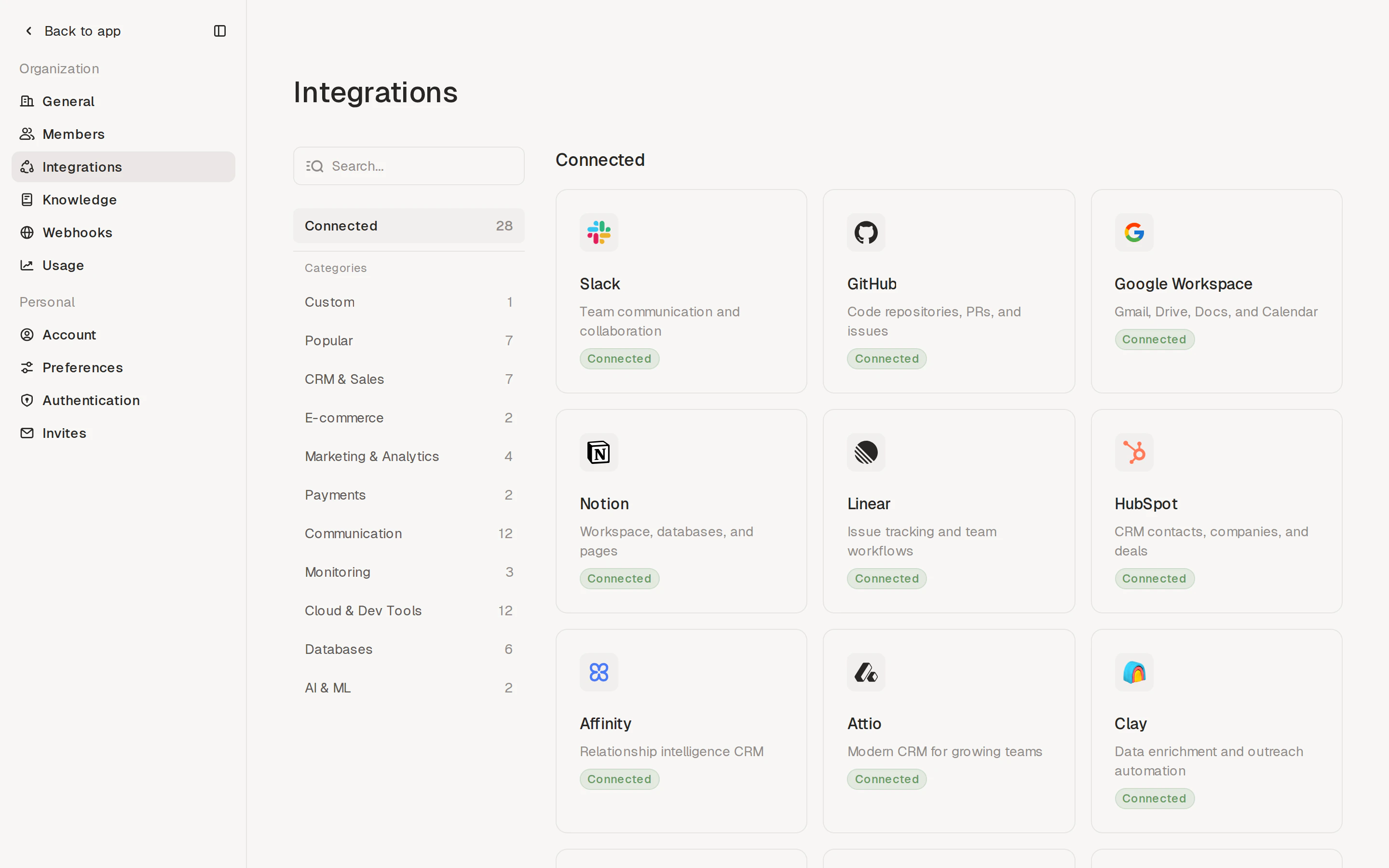
- OAuth — sign in with your account; Adapt manages the credentials for you. Used by Slack, GitHub, Google Workspace, Notion, Linear, HubSpot, and others.
- API key — paste a key, token, or connection string from the provider’s settings. Used by Postgres, Snowflake, Stripe, Sentry, and most other developer-focused tools.
Sidebar at a glance
The left sidebar lets you:- Search every integration by name
- Filter to Connected to see only what your organization has wired up
- Filter to Custom to add your own integration (see Custom integrations below)
- Filter to Popular to see the most-used integrations
- Browse by category: CRM & Sales, E-commerce, Marketing & Analytics, Payments, Communication, Monitoring, Cloud & Dev Tools, Databases, AI & ML
Connecting an integration
Click any integration tile to open its detail page. The detail page shows the provider’s category, connection type, and any active connections in your organization.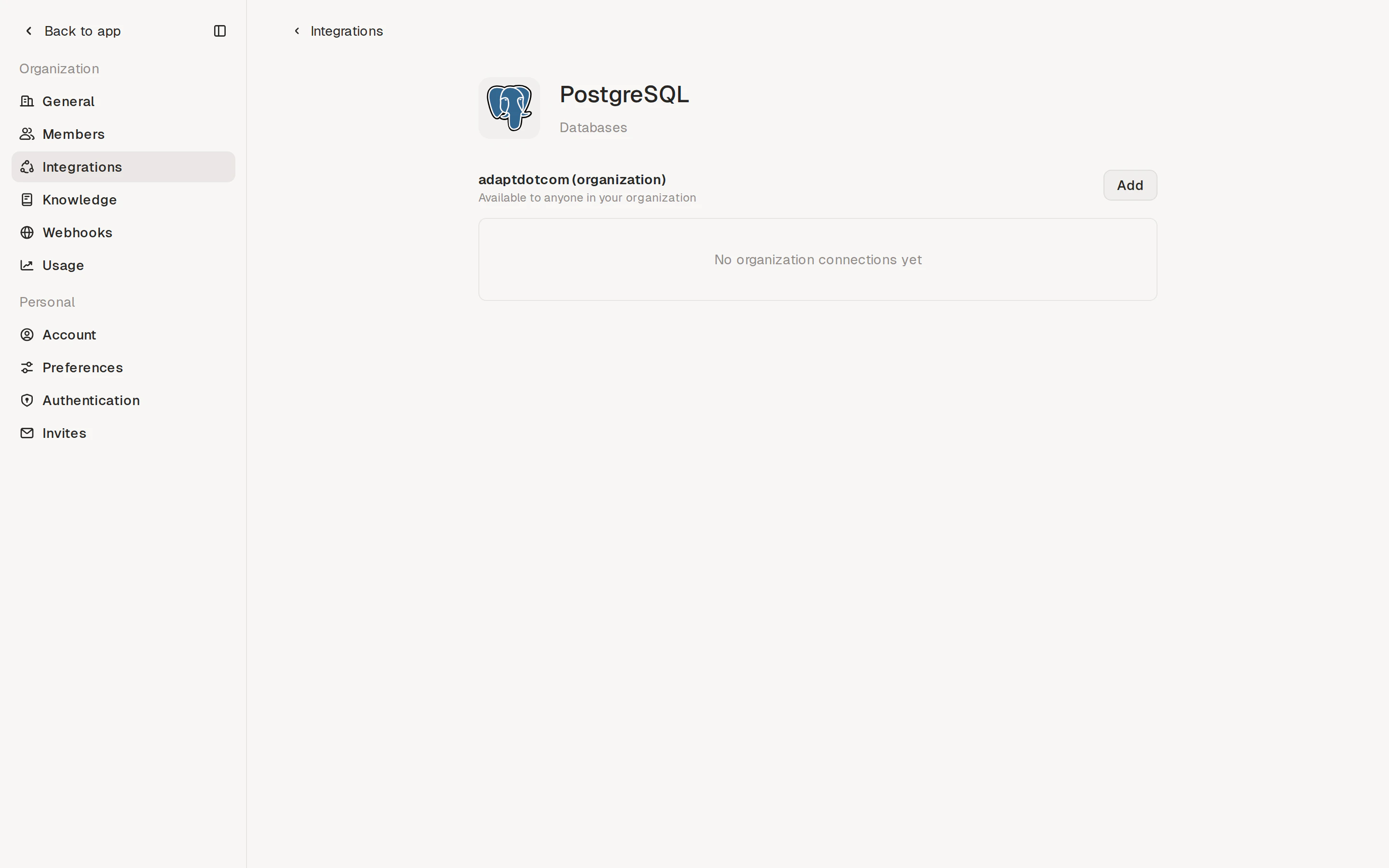
- OAuth (example: Slack)
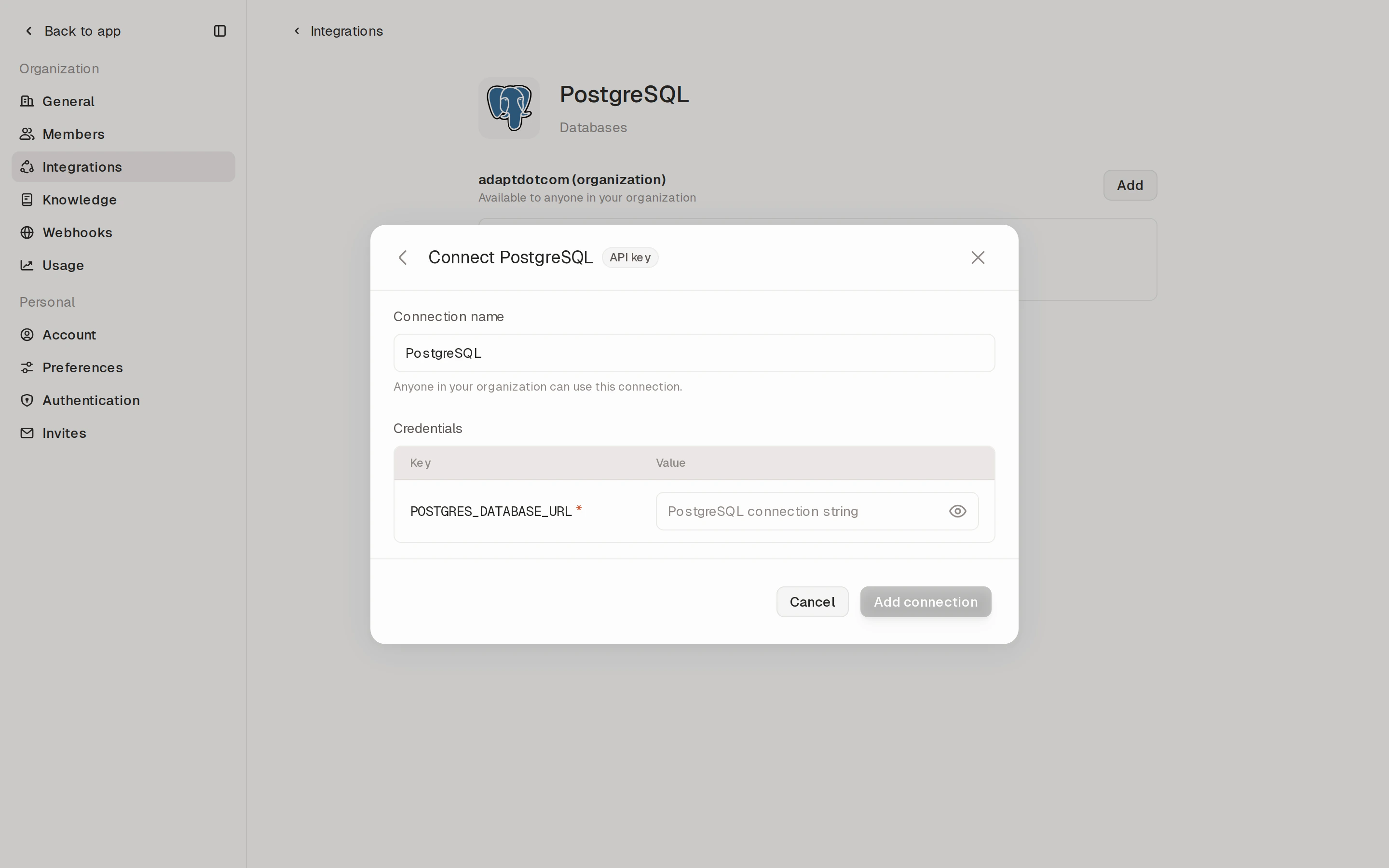
- API key (example: Postgres)
For OAuth integrations like Slack, clicking Add redirects you to
the provider’s authorization page in a new window.
1
Click Add on the Slack detail page
Adapt opens Slack’s OAuth consent screen. You’ll be asked to pick the
Slack workspace you want to connect.
2
Authorize Adapt
Slack lists the permissions Adapt is requesting (reading channels and
messages, posting on your behalf, reading user profiles, etc.). Click
Allow to grant access.
3
Land back in Adapt
You’re redirected to the Slack detail page in Adapt and the new
connection appears under adaptdotcom (organization) with a green
status dot. Adapt manages refresh tokens and re-auth from this point on
— there’s nothing to copy or paste.
4
Test it from a chat
Open a new chat and ask Adapt something that uses the connection — for
example, “Summarize yesterday’s #engineering channel” or “DM Patrick
the Q3 numbers”. Adapt will pick up the new connection automatically.
Personal connections
Every integration’s detail page has two stacked panels:{Organization name}(organization) — shared with everyone in your workspace. Use this for accounts that should serve the whole team, like the company Slack or a shared HubSpot.{Your name}(personal) — visible only to you. Use this for accounts Adapt should act on for you alone, like your own Gmail, your personal GitHub, or a Postgres credential scoped to your work.
Why use a personal connection?
The clearest example is GitHub. With only an organization GitHub connection, asking Adapt to open a pull request opens it as theadaptcom bot — the PR
and the commits are attributed to the bot account, not the person who asked
for the change. Connect your personal GitHub as a personal integration and
Adapt opens the PR as you, the commits are attributed to you, and reviewers
can see at a glance who’s driving the work.
OAuth integrations
OAuth is the simplest way to connect — sign in with your account, approve the permissions, and you’re done. Adapt handles refresh tokens and re-auth in the background.
Slack
Workspace-wide access

GitHub
Codebase access

Linear
Issue tracking

HubSpot
CRM & marketing

Google Workspace
Drive, Slides, Sheets

Notion
Docs & wikis
API key integrations
For everything else, paste your API key (or connection string) into the integration’s detail page. Credentials are stored securely and used only when Adapt queries that service on your behalf. The full catalog is below. Integrations with their own setup guide link to that guide; the rest open directly in Settings → Integrations.CRM & Sales
HubSpot
CRM & marketing

Attio
Modern CRM

Clay
Data enrichment
Salesforce
Enterprise CRM
Affinity
Relationship intelligence CRM
Apollo
Sales engagement & data
Klaviyo
Email & SMS marketing
E-commerce
Shopify
Storefront, orders, customers
WooCommerce
WordPress storefront
Marketing & Analytics

Google Analytics
Web & app traffic

Ahrefs
SEO & backlinks
PostHog
Product analytics
Mixpanel
Product analytics
Meta Ads
Facebook & Instagram ads
Payments

Stripe
Payments & subscriptions
Ramp
Spend management & cards
Communication
Slack
Workspace messaging

Intercom
Customer messaging

Zendesk
Support tickets

Grain
Meeting transcripts
Zoom
Meeting recordings
Fireflies
Meeting transcripts
Gong
Revenue conversations
Resend
Transactional email
SendGrid
Transactional email
Twilio
SMS & voice
Discord
Community messaging
Customer.io
Lifecycle messaging
Monitoring & Compliance

Sentry
Error monitoring

Drata
Compliance automation
Datadog
Infrastructure & APM
Vanta
Compliance automation
Cloud & Dev Tools
GitHub
Code, issues, PRs
Linear
Issue tracking
Notion
Docs & wikis

Google Cloud
GCP services
AWS
EC2, S3, Lambda
Azure
Microsoft cloud
Vercel
Deployments & hosting
Doppler
Secrets management
Asana
Work management
Jira
Issue tracking
Confluence
Wiki & docs
Figma
Design files
Databases

Snowflake
Data warehouse

Databricks
Lakehouse
Postgres
Relational database
Supabase
Managed Postgres backend
Neon
Serverless Postgres
MySQL
Relational database
MongoDB
Document database
Airtable
Spreadsheet-database
AI & ML
OpenAI
GPT, embeddings, image
Anthropic
Claude models
Custom integrations
If a tool you use isn’t in the catalog yet, you can bring your own. Filter the catalog to Custom and click Add custom integration — you’ll be prompted to name the integration and add the credentials Adapt should use when calling its API.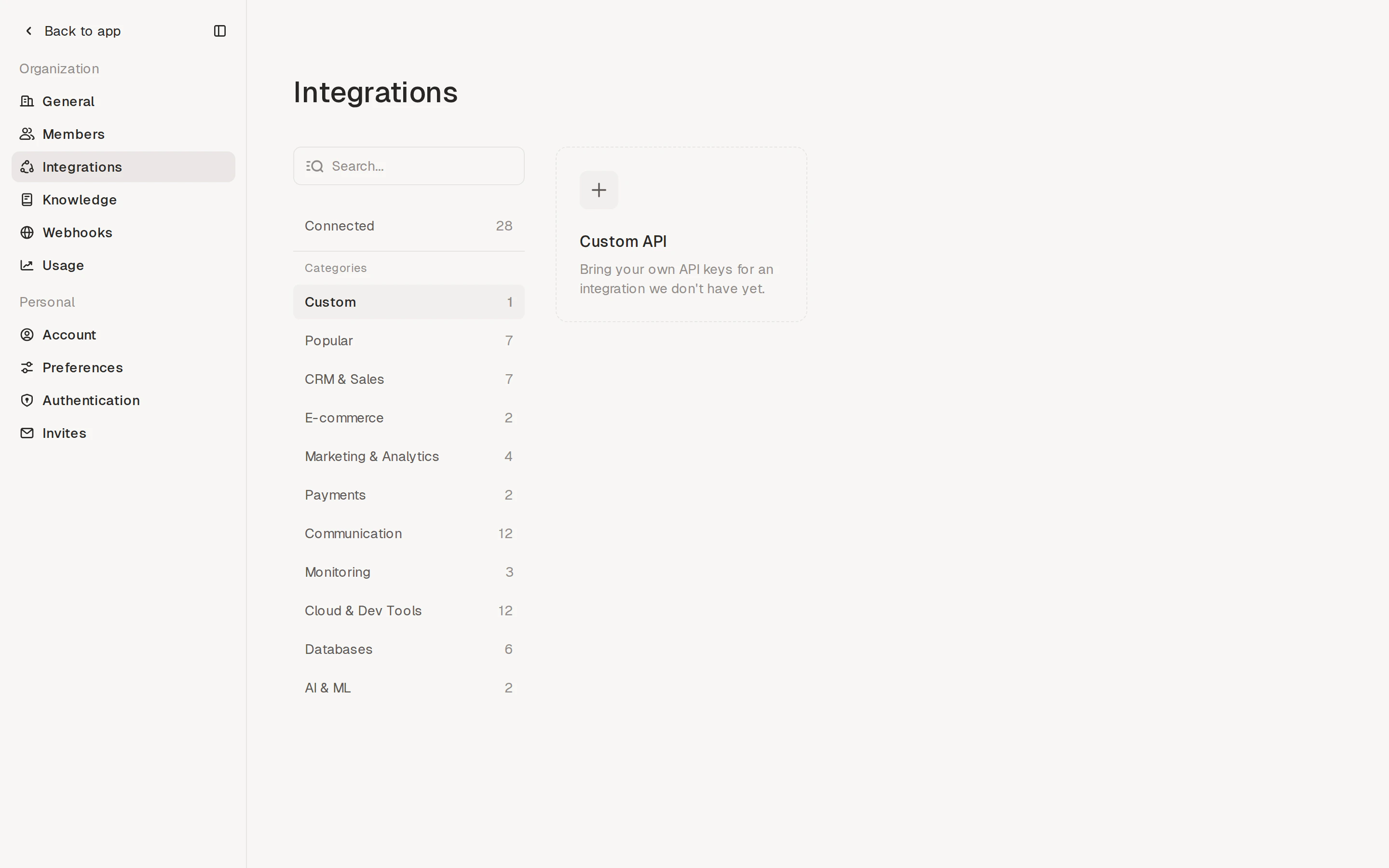
Connection health
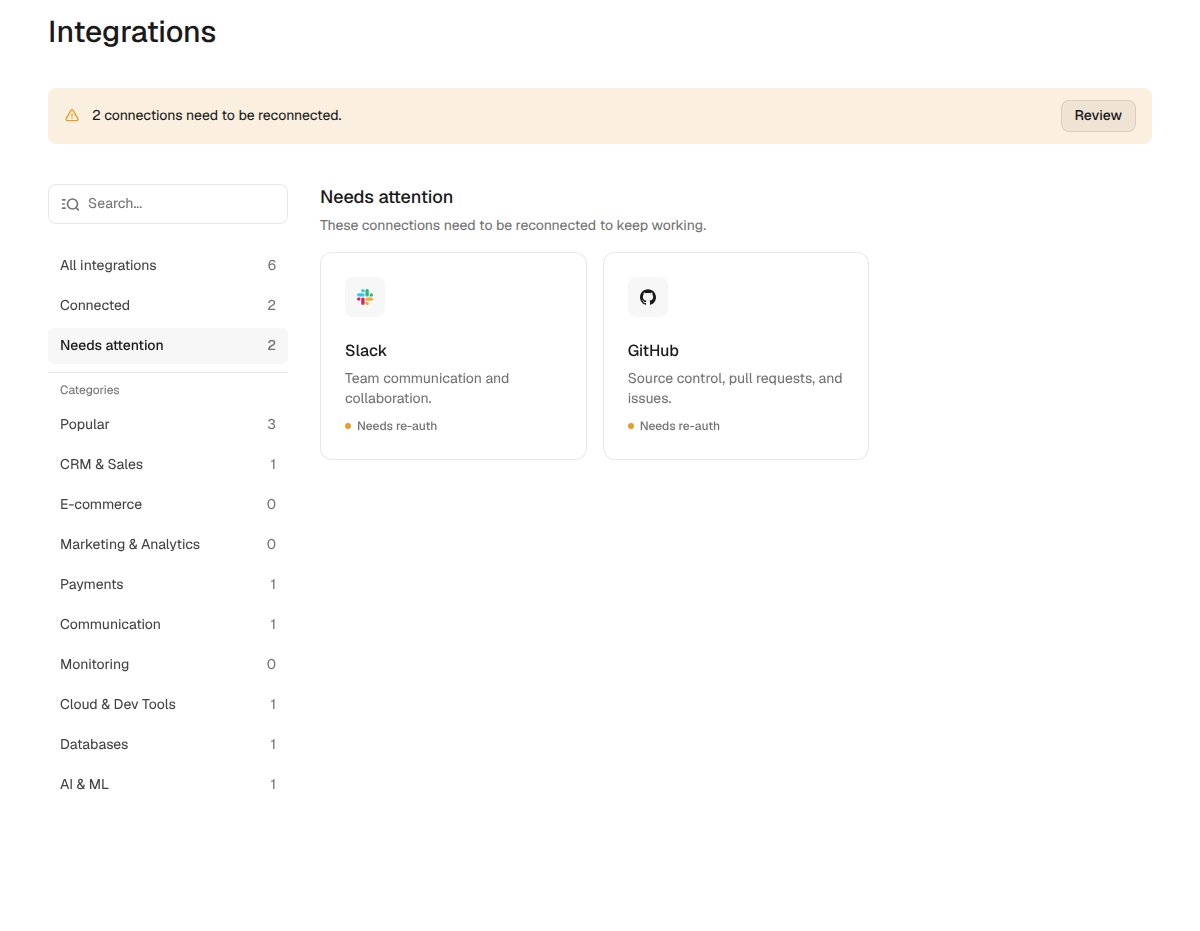
Adapt monitors your OAuth connections and tells you when one stops working — for example, when a token expires, a grant is revoked, or a token refresh fails. You don’t have to wait for a workflow to break to find out. When a connection needs attention, you’ll see it in three places:- A banner at the top of Settings → Integrations counts the affected connections and links to them with a Review button.
- The integration’s tile shows an amber Needs re-auth dot instead of the green Connected dot.
- A Needs attention filter in the sidebar groups every connection that needs reconnecting.
Managing connections
Click any Connected integration to open its detail page, where you can:- See the active connections, who added them, and the permissions granted
- For OAuth (e.g., Slack): re-authorize if a connection needs attention, add another workspace, or disconnect entirely
- For API key (e.g., Postgres): rotate the credential, add additional secrets, or remove the connection
Next Steps
Slack Setup
Connect your workspace

Postgres Setup
Connect your database