

Service accounts are available on Doppler’s Team and Enterprise plans. On other
plans, use a service token instead — it is read-only and scoped to a single
project and config.
Set up credentials
1
Open service accounts
Sign in to Doppler, then go to
Team > Service Accounts.
2
Create the service account
Click the + button, name it
Adapt (or any name you prefer), and click
Create Service Account. Doppler takes you to the configuration page for
the new account.3
Grant project access
Click Add Project Access, then select each project Adapt should read.
For each one, set the Role to Viewer and choose the Environments
(configs) Adapt needs, such as
dev and stg. Click Save.Grant access only to the projects and configs Adapt actually needs. Anything
you leave out stays invisible to the token.4
Create the API token
In the Service Account API Tokens section, click the + button, name
the token
Adapt, and leave Expire Token unchecked so the connection
does not break later. Click Create API Token.5
Copy the token
Copy the generated token immediately. It starts with
dp.sa. and is shown
only once.Connect to Adapt
1
Open Integrations
In Adapt, go to
Settings > Integrations.
2
Find Doppler
Search for Doppler and select it from the catalog, or go straight to
app.adapt.com/settings/integrations/doppler.
3
Start the connection
Click Connect to open the connection form.
4
Add your credentials
Paste the token into the Service account token field, then click
Add connection: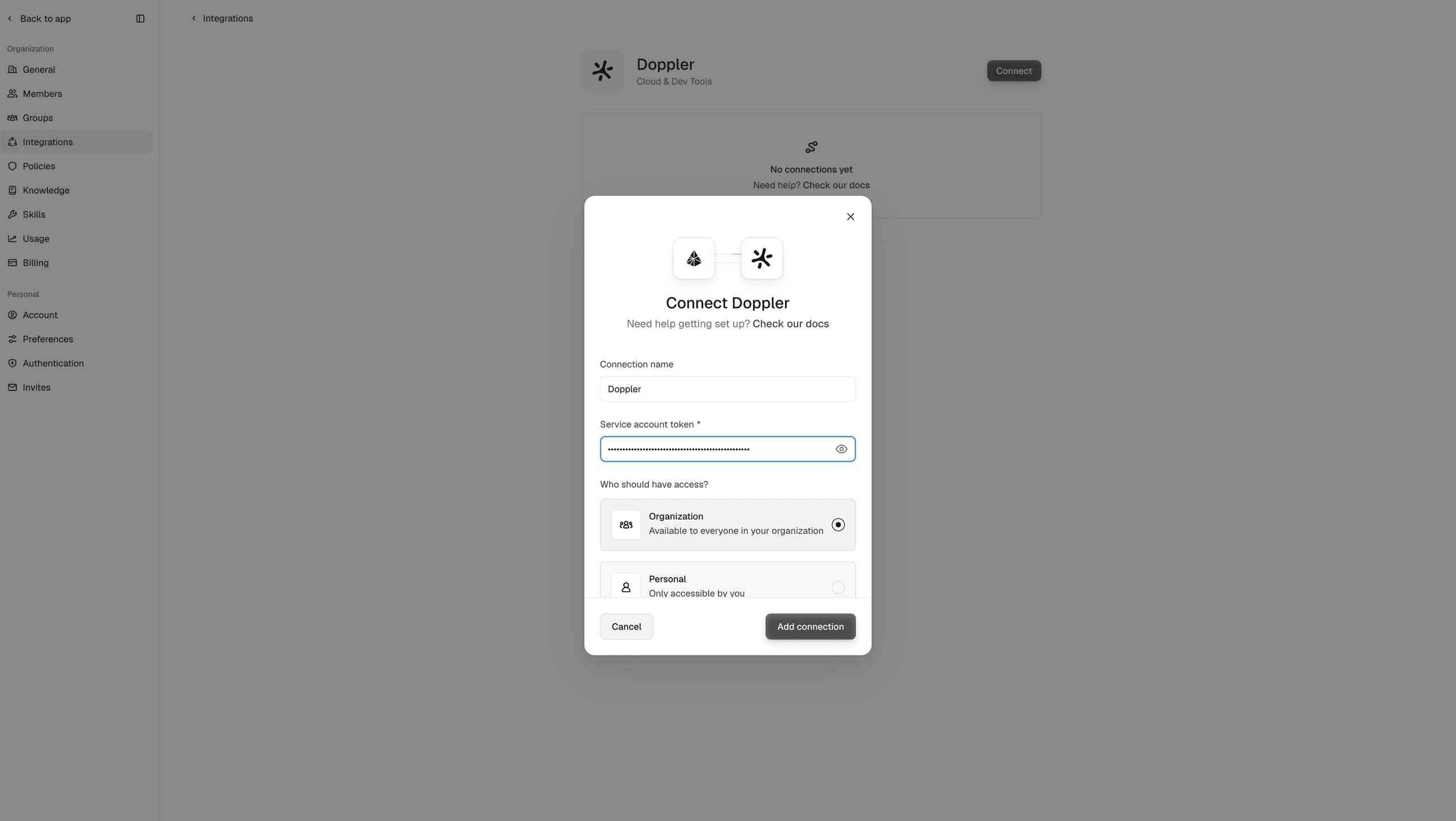
You can rename the connection and choose whether it is shared with your
organization or kept personal to you.
5
Test the connection
Ask Adapt to list your Doppler projects.