

Connect your phone
Open Settings > Integrations > Messaging and choose one of two paths.Register a new number
If your number isn’t on the roster yet, verify it by texting a code.1
Enter your mobile number
Under Register a new number, type your mobile number and click Get verification code.
2
Text the code
Send the verification code from that phone to the Adapt number shown. Texting the code proves you own the number.
3
Done
The page updates automatically once your text arrives. Codes expire after 10 minutes.
Use your registered number
If your mobile number is already registered to your Adapt email, connect it instantly.1
Open the Messaging integration
2
Connect your number
Click Connect number. Adapt matches your mobile number from your organization’s roster and links it to your account.
Using Adapt over text
Once connected, the settings page shows the number to message Adapt at. Text it like you’d text a coworker: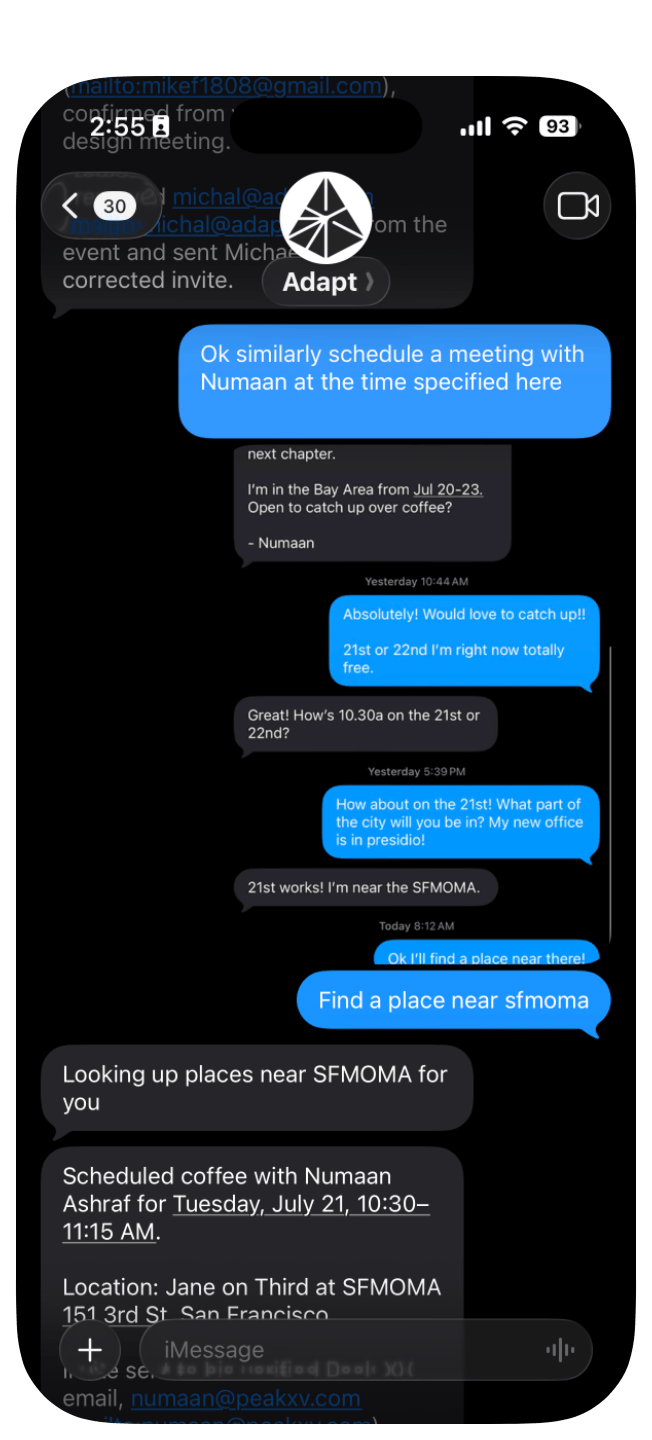
- iMessage and RCS. iPhone users get a native iMessage thread; Android users connect over RCS, with SMS as a fallback.
- Replies stream back as messages. Longer answers arrive as normal texts in the thread.
- Charts, tables, and files come as attachments. When an answer includes a generated artifact, Adapt sends it as a file attachment.
- One shared history. Text conversations appear in your chat history next to your web and Slack threads, tagged with their source. Start a thread on your phone and continue it later in the web app.
- Your full toolset. Adapt reaches the same integrations, company knowledge, and skills it uses everywhere else.
- Automation results, too. Point any automation at Messages and its finished result arrives as a text in this thread, wherever you created the automation.
- Ask for a text from anywhere. In Slack or the web app, ask Adapt to text you a result and it arrives here — useful when you’re heading out and want the answer on your phone. See Result delivery.