


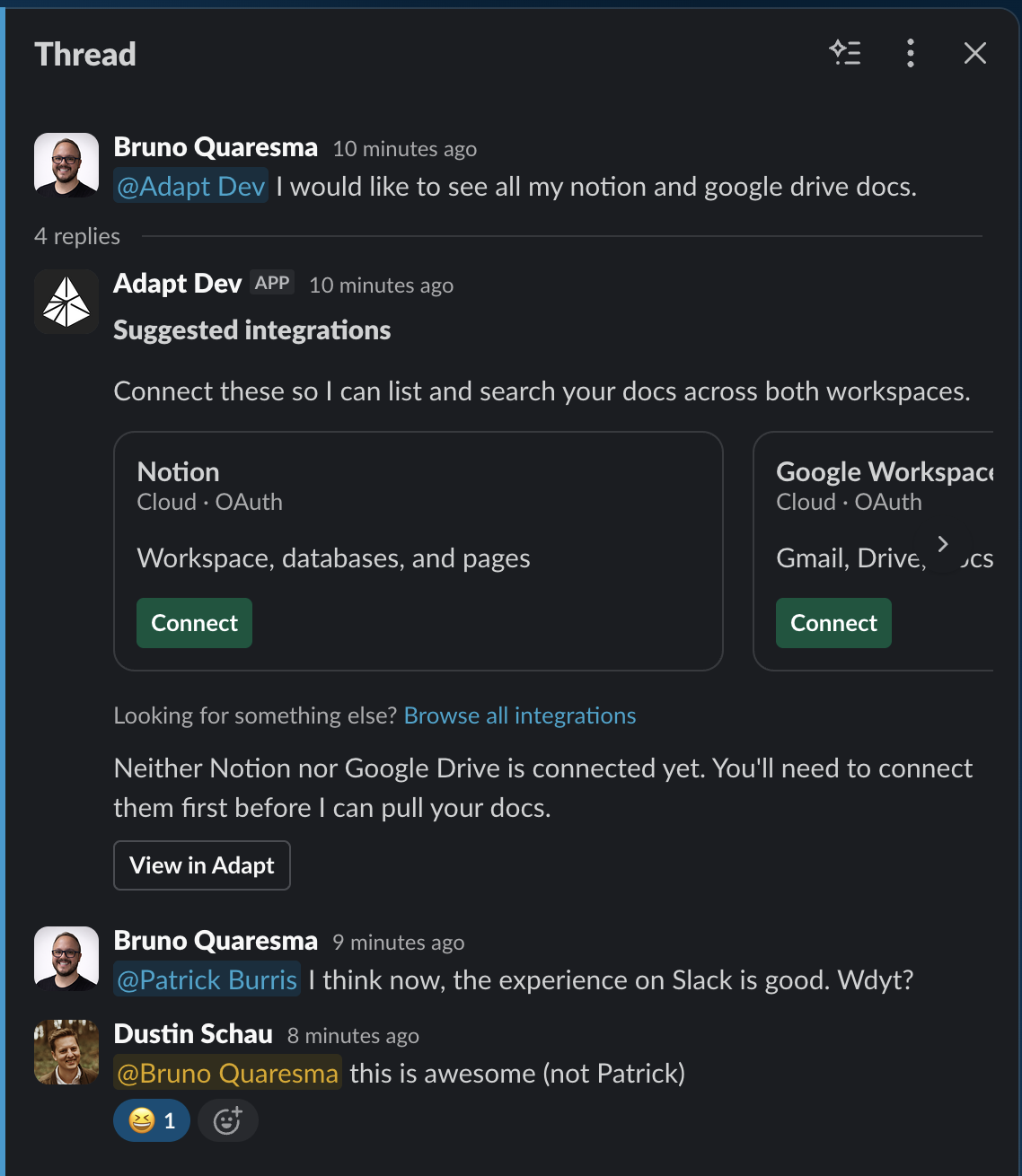
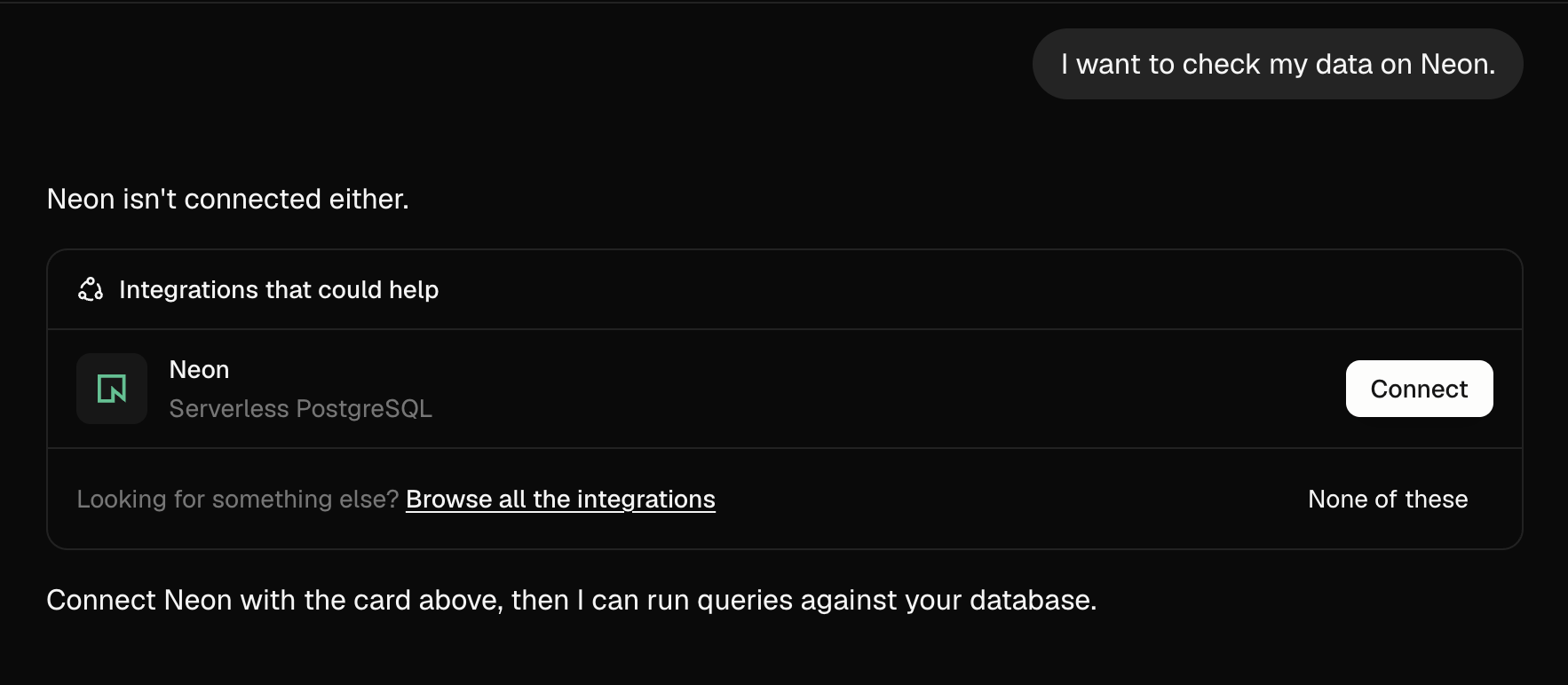
When you ask Adapt something that needs a tool it doesn't have yet, Adapt now surfaces the right integrations directly on the agent surface — with a Connect button on each card — instead of sending you to settings. Same behavior on web and in Slack.
On Slack:
On web:
How it works
Ask Adapt for something that requires a disconnected integration — "list my Notion and Google Drive docs", "check my data in Neon", "file this in Linear" — and Adapt picks up to three integrations from the catalog that would help and posts them as a single suggestion card on whichever agent surface you're on. Each row shows the provider name, category, connection type, a short description, and a Connect button.
On web, clicking Connect opens the OAuth or API key flow inline. When the connection succeeds, the row flips to a connected state and you can re-run your request without leaving the conversation.
In Slack, the suggestions come back as a Block Kit message in the same thread. Each Connect button deep-links to the matching provider in Settings → Integrations, so anyone with access can finish the connection in one click.
What this replaces
Adapt used to either describe the integration inline and link you to the settings page, or stop short and ask you to connect something first. Both cost you a context switch. Suggestions now live where the request lives, only show up when an integration is actually needed, and never duplicate something you already have connected — already-connected providers are filtered out before the card is rendered.
Availability
Live for every organization on both agent surfaces. No setup required. Browse everything else in the integrations catalog or see the Slack app docs for how Adapt behaves in shared channels and threads.