


You can now connect any integration to Adapt as a personal account alongside your organization's shared ones. Personal connections — OAuth or API key — are scoped to you, hidden from teammates, and used automatically when you ask Adapt to act on your behalf.
How it works
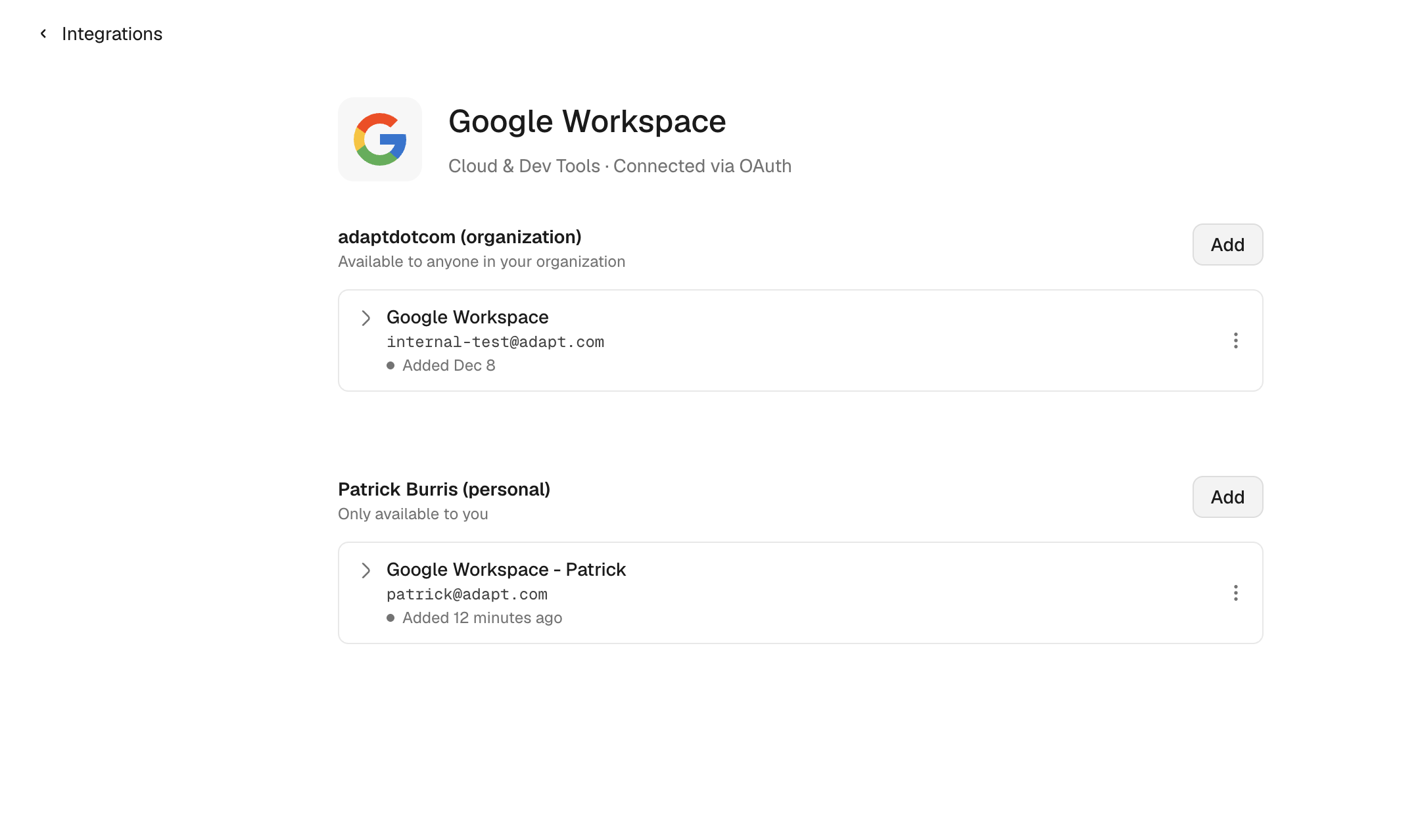
Two sections per provider. Every integration's detail page now has two stacked panels: {orgName} (organization) at the top — available to anyone in your workspace — and {your name} (personal) below it — only available to you. Each has its own Add button.
Works for everything. Personal connections are supported for both OAuth integrations (Slack, GitHub, Google Workspace, Notion, Linear, HubSpot, and friends) and API-key integrations (Stripe, Snowflake, Postgres, Sentry — anything in the catalog).
Pick your scopes. When connecting a personal OAuth account, you choose exactly what Adapt can access. Google Workspace, for example, lets you toggle Email, Calendar, Contacts, and Drive independently, each as read or write.
Used automatically. Personal connections are routed the same way as multiple org connections. Ask "draft a reply to the email from Sarah" and Adapt uses your personal Gmail; ask "send an update to #engineering" and it uses the org's Slack.
Use case: PRs that come from you, not the bot
Before personal integrations shipped, asking Adapt to open a pull request meant it ran through the organization's GitHub App — the PR was authored by the adaptcom bot account and the commits were attributed to it too. Reviewers had no idea who actually asked for the change, and the work didn't show up on the requester's contribution graph.
Connect your personal GitHub as a personal integration and that goes away. Adapt opens the PR as you, the commits are attributed to you, and the review notification goes to your name. Teammates see who's driving the change at a glance, and your work shows up where it should.
Where to find it
Settings → Integrations → [provider] in the web app. Scroll past the organization section to find the personal panel.
See the Integrations overview for setup details on each connector.