


The integrations settings page has been rebuilt around a single catalog. OAuth integrations and API key integrations now live side-by-side, with category browsing, search, and a clearer view of what your organization has connected.
What changed
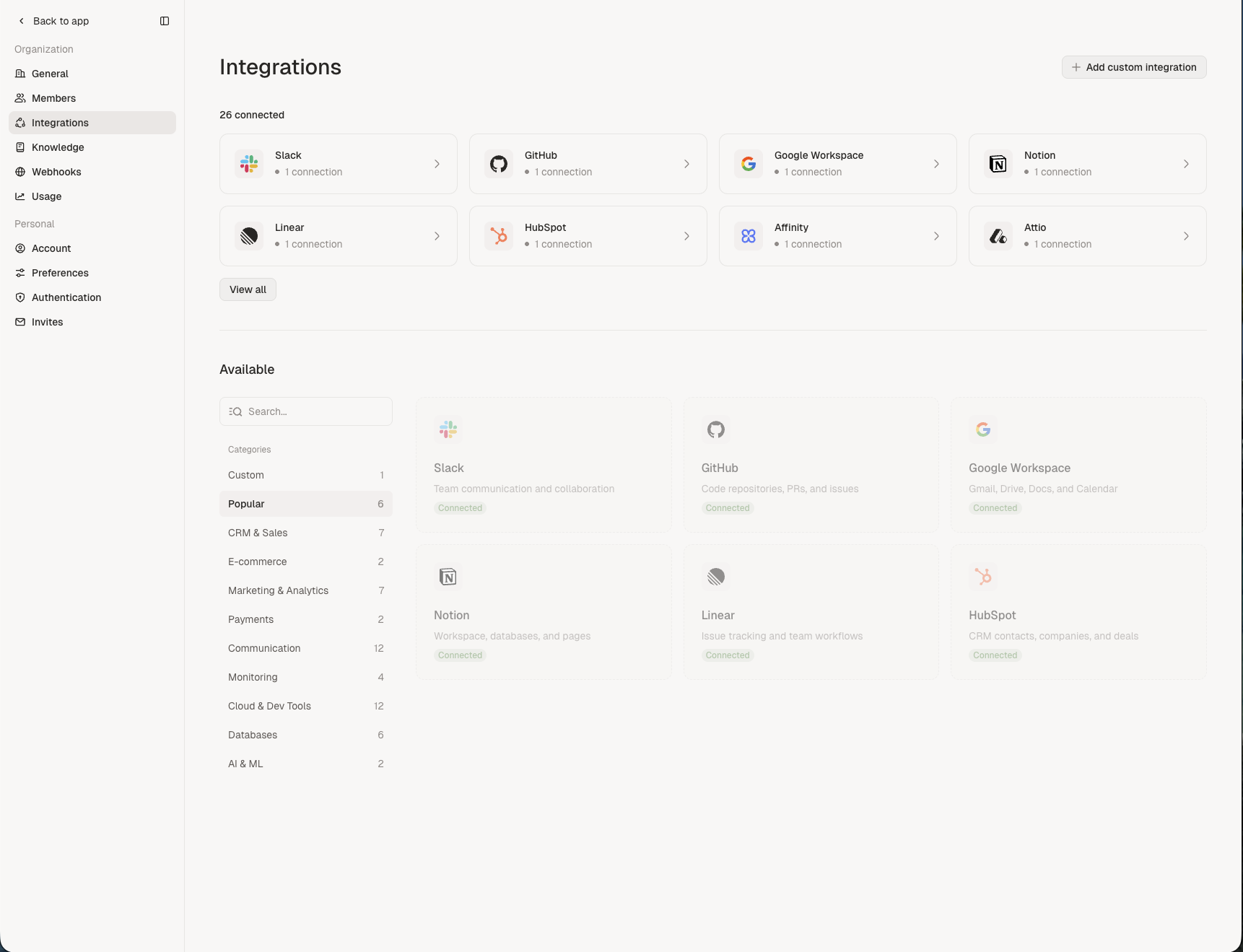
One catalog for everything. OAuth providers like Slack and GitHub and secret-based integrations like Stripe and Snowflake now appear in the same grid. There is no longer a separate area for "secrets-based" integrations to hunt through.
Connected at a glance. A Connected section at the top shows up to eight active integrations as compact cards, each with a connection count. A View all link opens the full list when you have more.
Browse by category. A sidebar groups the catalog into Popular, CRM & Sales, E-commerce, Marketing & Analytics, Payments, Communication, Monitoring, Cloud & Dev Tools, Databases, AI & ML, and Custom. Each category shows a count so you can see what's available at a glance.
Search. Filter the catalog instantly by name from the same page.
Custom integrations. Add your own provider with the Add custom integration button in the header. Define credentials and Adapt will treat it like any other connector.
Per-provider detail pages. Clicking an integration opens a dedicated page with its connections, configuration, and permissions in clearly separated sections — replacing the older modal-heavy flow.
Where to find it
Settings → Integrations in the web app. Existing connections are unchanged — only the UI around them has been rebuilt.
See the Integrations overview for setup details on each connector.