


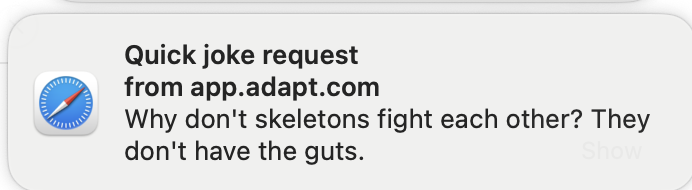
Long runs no longer need babysitting. Turn on notifications and Adapt sends a desktop notification the moment a reply or long-running task finishes while you're working somewhere else. Click it and you land right back in the chat that finished.
Turning it on
The first time you send a message, Adapt asks whether you want notifications before your browser does.
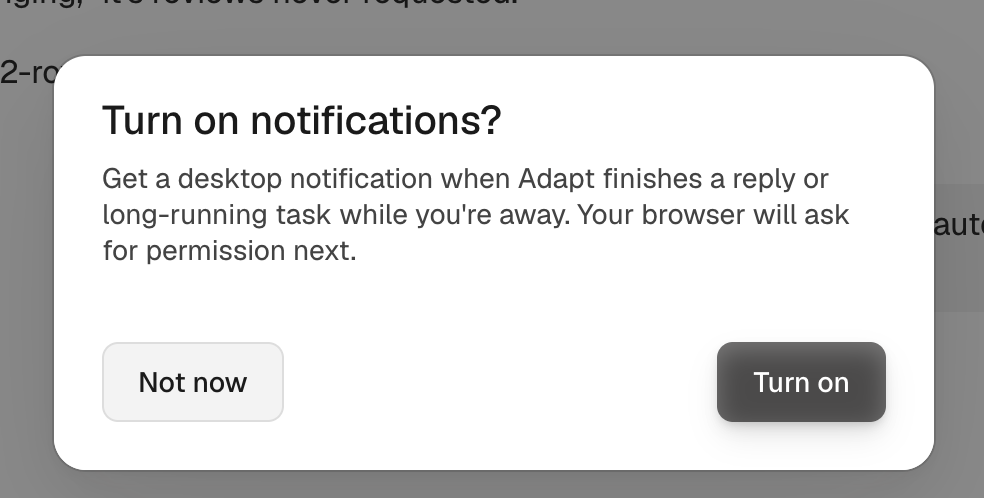
Not now costs nothing — your browser is never asked, and you can turn notifications on later from Settings > Preferences under Notifications. Choosing Turn on hands off to your browser's own permission dialog.
That order matters. A browser only ever asks once per site, so Adapt asks in its own UI first rather than spending your single prompt before you know what would get sent.
When you get pinged
A notification fires only when all of these are true:
- You turned notifications on and granted browser permission
- The chat started in the web app
- Adapt isn't both visible and focused — another app, another tab, another window, or another macOS Space all count as away
The notification title is the chat's name and the body is the first line of Adapt's reply. Repeat notifications for the same chat collapse into one, so a busy chat pings once rather than stacking up.
Turning it off
Open Settings > Preferences and switch Notify when a response finishes off. If you previously blocked notifications for app.adapt.com in your browser, the toggle stays off and tells you how to unblock it — browsers won't let a site undo that itself.
The setting is per person and per device, so allowing notifications on your laptop doesn't turn them on everywhere you sign in.