


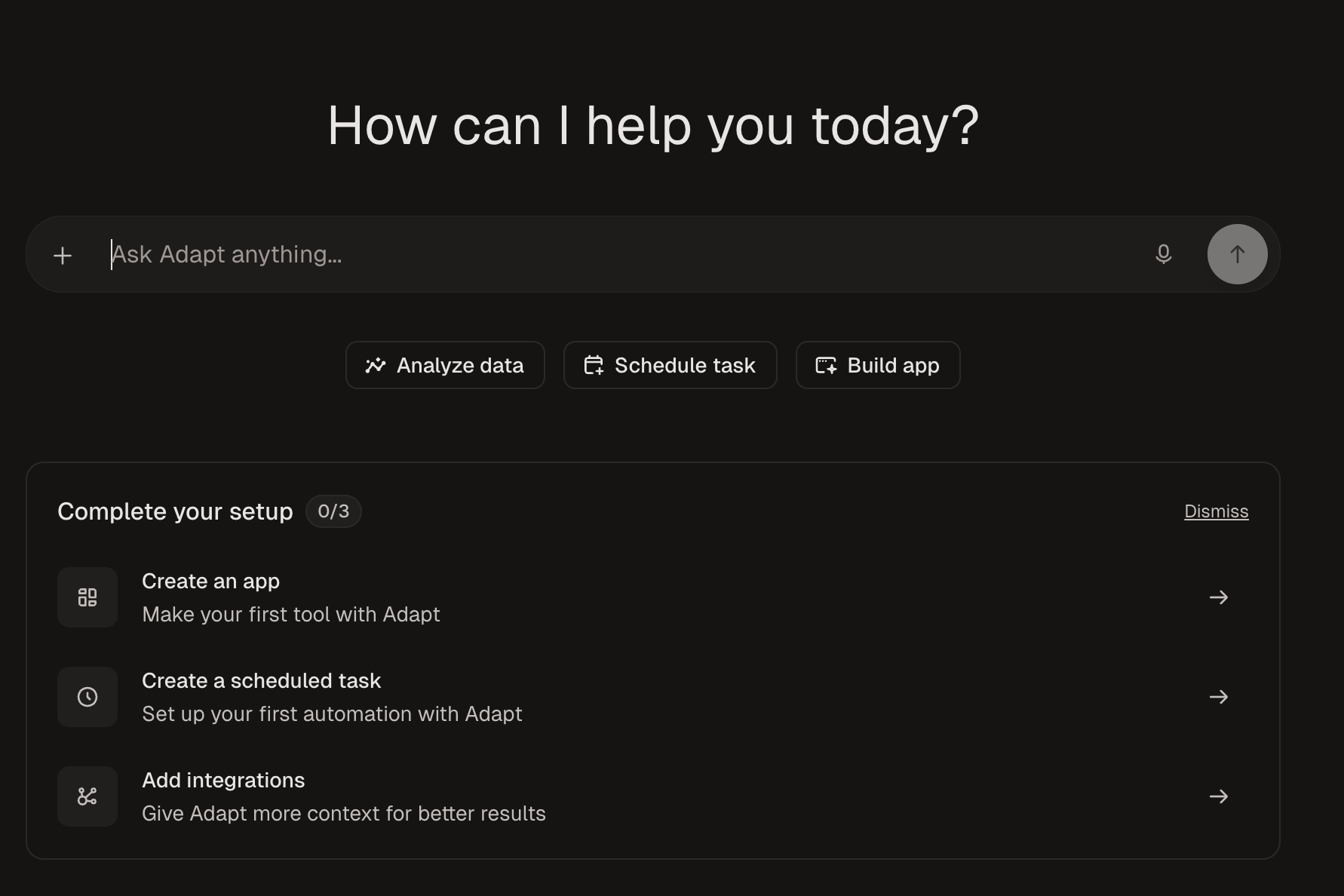
New users now see a Complete your setup card on the chat empty state that walks them through Adapt's three highest-leverage features: building an app, setting up a scheduled task, and connecting an integration. Each step links straight into the action that completes it.
How it works
The checklist appears under the composer the first time you open Adapt and stays visible until every step is done or you dismiss it. Progress is tracked per organization, so the moment your team creates an app, schedules a task, or connects an integration, that step is marked complete with a checkmark.
The three steps are:
- Create an app — kicks off a chat that helps you build your first internal tool with Adapt
- Create a scheduled task — kicks off a chat that proposes automations based on your integrations and recent activity
- Add integrations — opens Settings > Integrations so you can connect the tools Adapt should pull context from
Click any incomplete step to jump straight into it. Completed steps stay visible with a strike-through so you can see your progress at a glance.
Why it matters
Most new Adapt users start by asking questions, then discover apps, scheduled tasks, and integrations later — sometimes much later. The checklist makes those three capabilities visible from the first session, with a clear path to try each one. Teams that connect at least one integration and ship one app or task in their first session get meaningfully more value out of Adapt.