> ## Documentation Index
> Fetch the complete documentation index at: https://adapt.com/docs/llms.txt
> Use this file to discover all available pages before exploring further.
# Slack
> Chat with Adapt directly in your Slack workspace
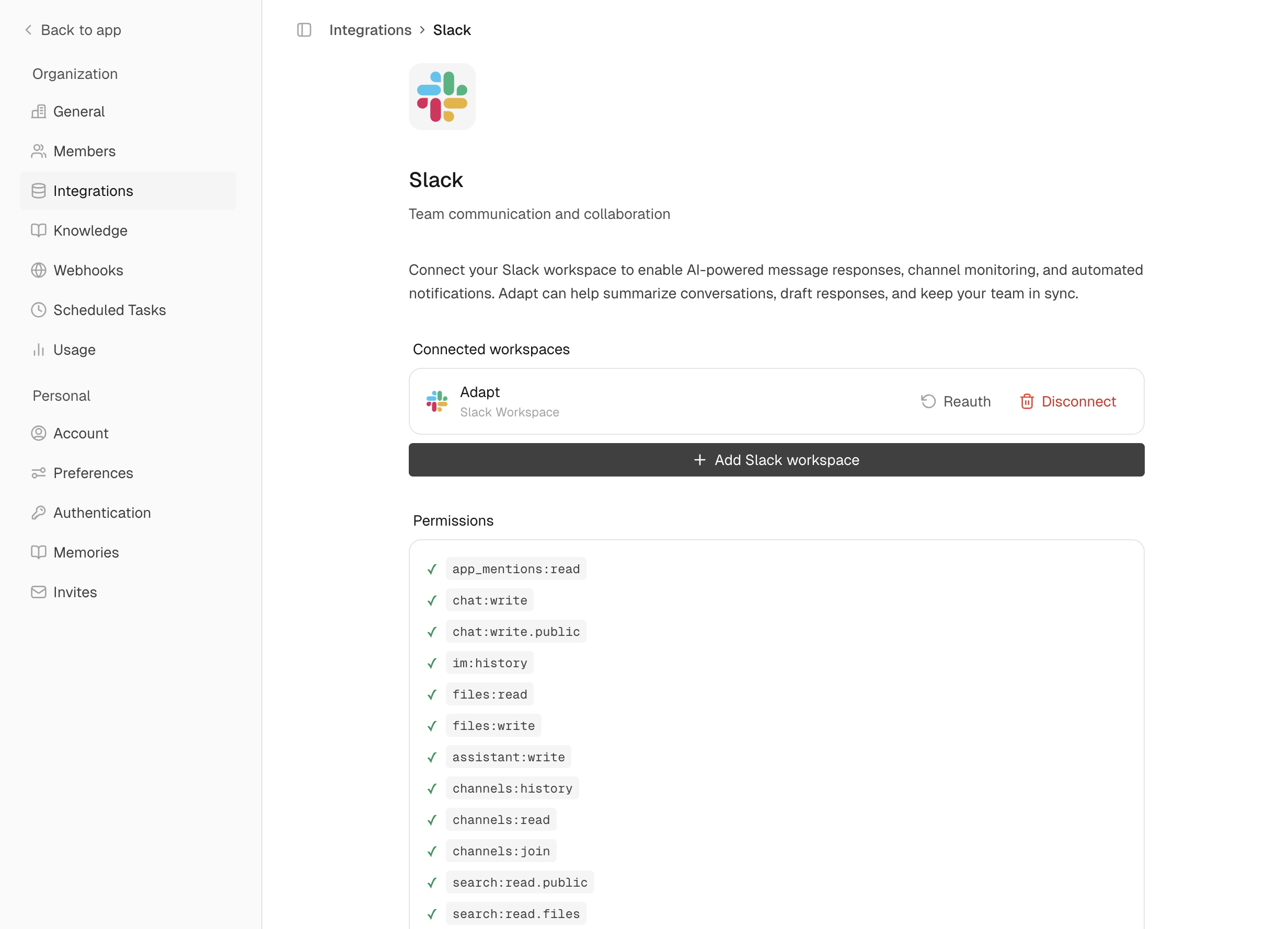 The Slack integration lets you interact with Adapt right where your team already works.
## Setup
Go to **Settings > Integrations > Slack** and click **Connect**
Review permissions and click **Allow** to add Adapt to your workspace
Type `/invite @Adapt` in any channel to enable mentions
### Permissions
| Permission | Why It's Needed |
| --------------- | ---------------------------------------------- |
| Read messages | To understand questions and context |
| Send messages | To respond to your questions |
| Access files | To analyze uploaded spreadsheets and documents |
| Search messages | To find relevant conversations when asked |
## Capabilities
Adapt can chat directly in Slack. Send messages, search conversations, and get
answers without leaving your workspace.
### Chat Directly in Slack
This is the only integration where you can have a full conversation with Adapt without opening the web app:
* **Direct messages** to @Adapt for private questions
* **Channel mentions** to share insights with your team
* **Thread replies** to maintain context in discussions
### Examples
Ask questions in Slack:
```
@Adapt What's our current MRR from Stripe?
```
Analyze files:
```
@Adapt Analyze this spreadsheet [attach file]
```
Search conversations:
```
Search Slack for discussions about the new feature launch
```
Post summaries:
```
Post a summary of this analysis to #engineering
```
Schedule reports:
```
Every Monday at 9am, post a weekly sales summary to #sales-team
```
### Proactive responses
Adapt doesn't have to wait for an @-mention. Set a plain-English **trigger mode** on any channel or thread and Adapt will decide on its own when to chime in:
```
@Adapt respond to any top-level message reporting a bug.
```
See the [Slack app docs](/platform/slack-app#proactive-responses) for the full setup, available modes, and example policies.
The Slack integration lets you interact with Adapt right where your team already works.
## Setup
Go to **Settings > Integrations > Slack** and click **Connect**
Review permissions and click **Allow** to add Adapt to your workspace
Type `/invite @Adapt` in any channel to enable mentions
### Permissions
| Permission | Why It's Needed |
| --------------- | ---------------------------------------------- |
| Read messages | To understand questions and context |
| Send messages | To respond to your questions |
| Access files | To analyze uploaded spreadsheets and documents |
| Search messages | To find relevant conversations when asked |
## Capabilities
Adapt can chat directly in Slack. Send messages, search conversations, and get
answers without leaving your workspace.
### Chat Directly in Slack
This is the only integration where you can have a full conversation with Adapt without opening the web app:
* **Direct messages** to @Adapt for private questions
* **Channel mentions** to share insights with your team
* **Thread replies** to maintain context in discussions
### Examples
Ask questions in Slack:
```
@Adapt What's our current MRR from Stripe?
```
Analyze files:
```
@Adapt Analyze this spreadsheet [attach file]
```
Search conversations:
```
Search Slack for discussions about the new feature launch
```
Post summaries:
```
Post a summary of this analysis to #engineering
```
Schedule reports:
```
Every Monday at 9am, post a weekly sales summary to #sales-team
```
### Proactive responses
Adapt doesn't have to wait for an @-mention. Set a plain-English **trigger mode** on any channel or thread and Adapt will decide on its own when to chime in:
```
@Adapt respond to any top-level message reporting a bug.
```
See the [Slack app docs](/platform/slack-app#proactive-responses) for the full setup, available modes, and example policies.