> ## Documentation Index
> Fetch the complete documentation index at: https://adapt.com/docs/llms.txt
> Use this file to discover all available pages before exploring further.
# GitHub
> Connect GitHub to work with repositories, issues, and pull requests
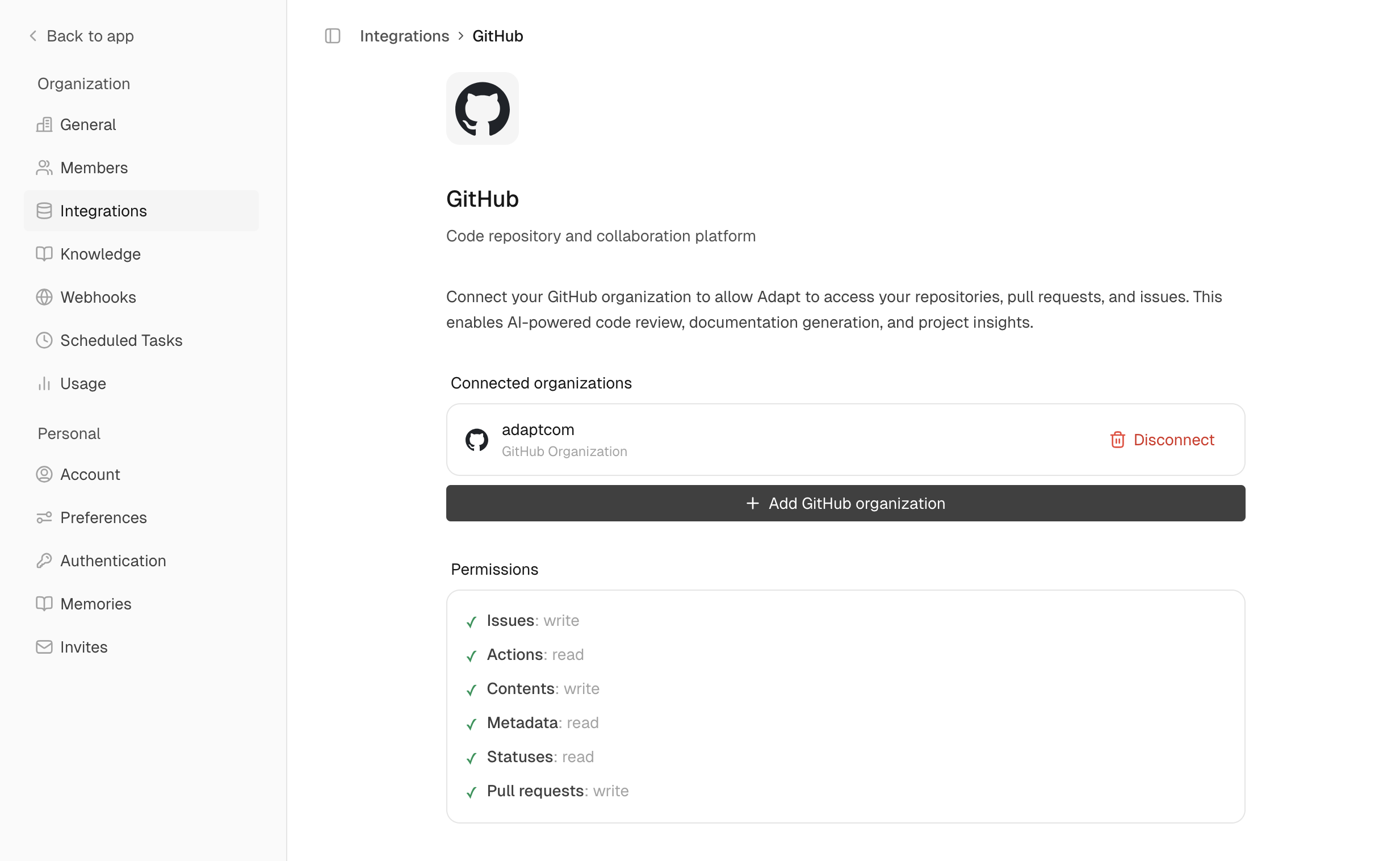 Connect Adapt to GitHub to read code, analyze repositories, and understand your development workflow.
## Setup
Navigate to **Settings > Integrations > GitHub**
Click **Connect** to install the Adapt GitHub App
Choose which repositories Adapt can access
### Permissions
The GitHub App requests:
* **Read access**: Code, issues, PRs, commits, actions
* **Write access**: Issues, PR comments (for creating issues and commenting)
## Capabilities
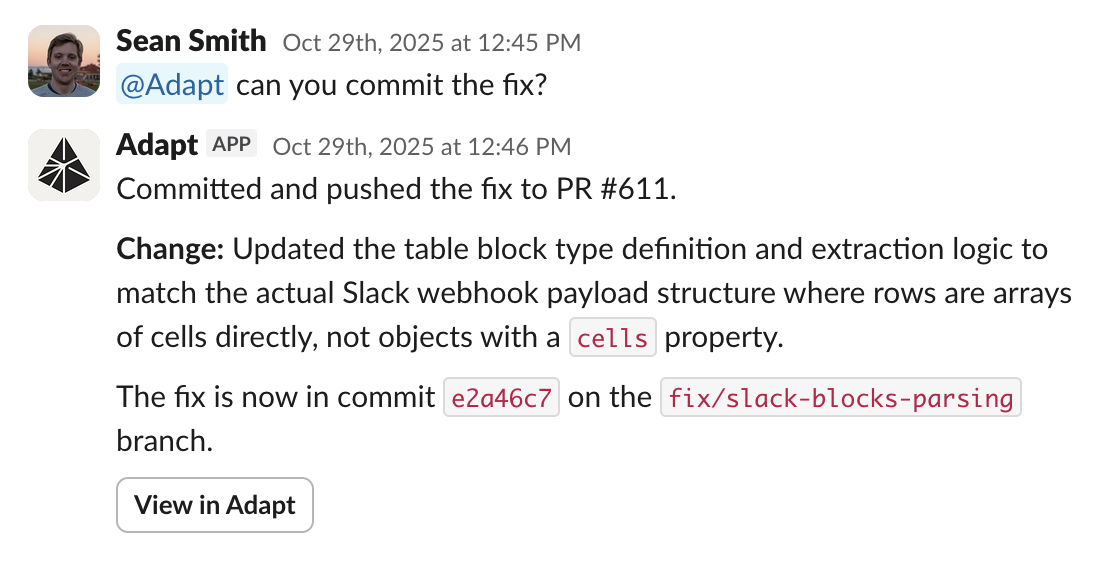
Adapt can access your GitHub data through its sandbox environment, using the
GitHub CLI (`gh`) and REST API. Open PRs, review code, and more.
Connect Adapt to GitHub to read code, analyze repositories, and understand your development workflow.
## Setup
Navigate to **Settings > Integrations > GitHub**
Click **Connect** to install the Adapt GitHub App
Choose which repositories Adapt can access
### Permissions
The GitHub App requests:
* **Read access**: Code, issues, PRs, commits, actions
* **Write access**: Issues, PR comments (for creating issues and commenting)
## Capabilities
Adapt can access your GitHub data through its sandbox environment, using the
GitHub CLI (`gh`) and REST API. Open PRs, review code, and more.
 ### Examples
Understand your codebase:
```
Can you explain how OAuth login works in our app.
```
Open up PRs to add new features:
```
Please open a PR to add Microsoft as a login method for our app.
```
With Linear connected, open a PR that closes a Linear issue:
```
Please open a PR for ENG-654
```
## Automated PR reviews
Once GitHub is connected, Adapt reviews your pull requests automatically. When a PR is opened — or a draft is marked ready for review — Adapt reads the diff and posts a review straight to GitHub, no @-mention required.
Each review includes:
* **Confidence Score (0–5)** — how safe the change is to merge at a glance.
* **Summary** — what the PR does and whether it's correct.
* **Important Files Changed** — a per-file overview of what changed and any concerns.
* **Inline findings** — actionable comments anchored to specific lines in the diff.
Adapt reacts with 👀 when it starts, skips draft PRs until they're ready, and never reviews bot-authored PRs (including its own). Every new push to an open PR triggers a fresh review, and reviews post as real GitHub reviews, so Adapt appears in the **Reviewers** sidebar.
To ask a follow-up, @-mention Adapt in a PR comment or reply inside one of its inline review threads. Adapt picks the conversation back up with full context on the PR.
### Gate merges with the Adapt Review check
Each automated review runs as a GitHub check named **Adapt Review** on the PR's head commit. The check passes when the review's confidence score is 3/5 or higher, fails below that, and concludes as neutral when a review is skipped or doesn't produce a verdict — neutral never blocks a merge.
To require it before merging:
1. In your repository, go to **Settings** > **Rules** > **Rulesets** and create a branch ruleset targeting your default branch.
2. Enable **Require status checks to pass**.
3. Click **Add checks** and select **Adapt Review**.
The merge button stays disabled until the check passes. Bot-authored PRs and cancelled runs conclude as neutral, so the required check never leaves a PR stuck.
Automated reviews run for repositories your GitHub installation can access. If you connected GitHub before this shipped, reconnect so Adapt picks up pull request events.
### Examples
Understand your codebase:
```
Can you explain how OAuth login works in our app.
```
Open up PRs to add new features:
```
Please open a PR to add Microsoft as a login method for our app.
```
With Linear connected, open a PR that closes a Linear issue:
```
Please open a PR for ENG-654
```
## Automated PR reviews
Once GitHub is connected, Adapt reviews your pull requests automatically. When a PR is opened — or a draft is marked ready for review — Adapt reads the diff and posts a review straight to GitHub, no @-mention required.
Each review includes:
* **Confidence Score (0–5)** — how safe the change is to merge at a glance.
* **Summary** — what the PR does and whether it's correct.
* **Important Files Changed** — a per-file overview of what changed and any concerns.
* **Inline findings** — actionable comments anchored to specific lines in the diff.
Adapt reacts with 👀 when it starts, skips draft PRs until they're ready, and never reviews bot-authored PRs (including its own). Every new push to an open PR triggers a fresh review, and reviews post as real GitHub reviews, so Adapt appears in the **Reviewers** sidebar.
To ask a follow-up, @-mention Adapt in a PR comment or reply inside one of its inline review threads. Adapt picks the conversation back up with full context on the PR.
### Gate merges with the Adapt Review check
Each automated review runs as a GitHub check named **Adapt Review** on the PR's head commit. The check passes when the review's confidence score is 3/5 or higher, fails below that, and concludes as neutral when a review is skipped or doesn't produce a verdict — neutral never blocks a merge.
To require it before merging:
1. In your repository, go to **Settings** > **Rules** > **Rulesets** and create a branch ruleset targeting your default branch.
2. Enable **Require status checks to pass**.
3. Click **Add checks** and select **Adapt Review**.
The merge button stays disabled until the check passes. Bot-authored PRs and cancelled runs conclude as neutral, so the required check never leaves a PR stuck.
Automated reviews run for repositories your GitHub installation can access. If you connected GitHub before this shipped, reconnect so Adapt picks up pull request events.