> ## Documentation Index
> Fetch the complete documentation index at: https://adapt.com/docs/llms.txt
> Use this file to discover all available pages before exploring further.
# Drata
> Connect Drata to monitor compliance and security posture
Connect Adapt to Drata to monitor your compliance status, track controls, and
understand your security posture.
## Setup
1. Go to your Drata dashboard
2. Navigate to **Settings > API Keys**
3. Click **Create API Key** to generate a key with scopes for your use case
4. Copy the key
Navigate to **Settings > Integrations** in Adapt
Add the following secret:
| Secret Name | Value |
| --------------- | ------------------ |
| `DRATA_API_KEY` | Your Drata API key |
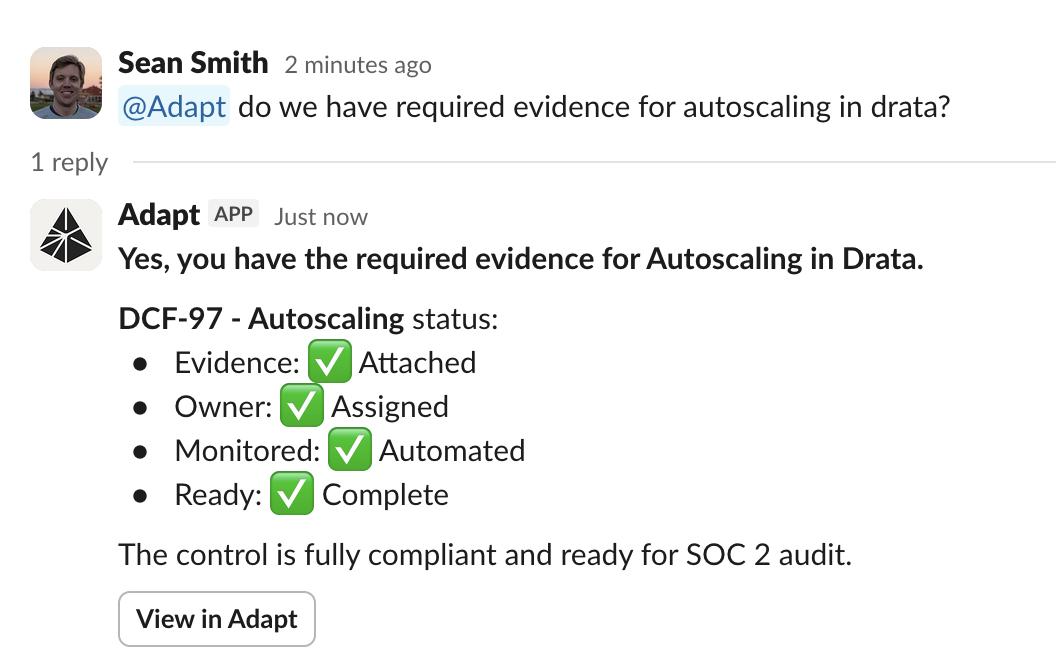
Ask Adapt about your compliance status
## Capabilities
Adapt can query your Drata data. Monitor compliance status, track controls, and
prepare for audits.
 ### Examples
Compliance monitoring:
```
What's our current SOC 2 compliance status?
```
Control tracking:
```
Which controls are failing?
```
Audit preparation:
```
What evidence is missing for the upcoming audit?
```
Security posture:
```
What security issues need attention?
```
### Examples
Compliance monitoring:
```
What's our current SOC 2 compliance status?
```
Control tracking:
```
Which controls are failing?
```
Audit preparation:
```
What evidence is missing for the upcoming audit?
```
Security posture:
```
What security issues need attention?
```